👤 By Aqsa Ahsan
Expert Advisors (EA)
Step by Step Guide How to Backtest an MT5 EA Accurately Using Every Tick Data
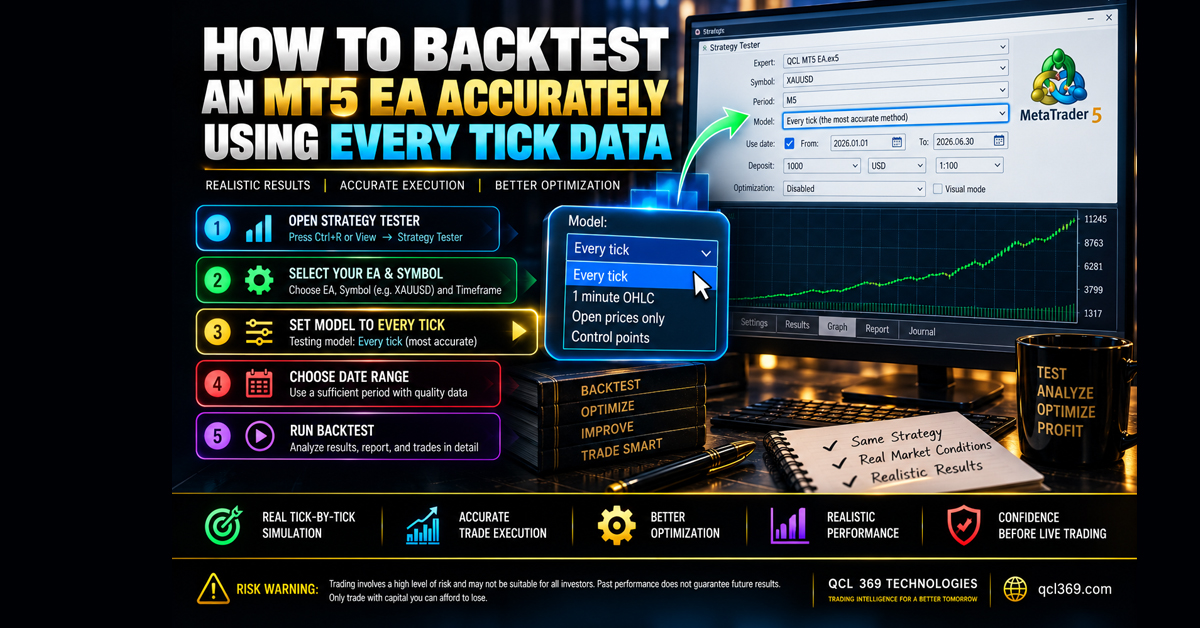
Step by Step Guide How to Backtest an MT5 EA Accurately Using Every Tick Data
The algorithmic trading market is full of Expert Advisors with high win rates. Many vendors change test results using poor historical data fixed unrealistic spreads or Open prices only modeling.
To see if an automated system has a real edge or is overfitted backtest it with real tick data and variable spreads.
Why Every Tick Based on Real Ticks Is Non Negotiable
MetaTrader 5 provides several modeling modes in its Strategy Tester:
-
Open prices only: Fast but completely unreliable. It only inspects the open of each candle completely ignoring intrabar volatility, Stop Loss triggers and slippage.
-
1 minute OHLC: Interpolates price action using 1 minute bars. It fails to reflect real order fills during rapid market expansions or news events.
-
Every tick: Generates synthetic ticks based on M1 bars. While better it still simulates tick movement mathematically rather than reflecting true broker liquidity.
-
Every tick based on real ticks (Gold Standard): Downloads real historical bid and ask prices from your broker. It uses changing spreads and accurately simulates stop loss and take profit executions.
If an EA cannot survive a real tick backtest with variable spreads it will not survive a live market or a prop firm challenge.
Step by Step MT5 Backtest Setup
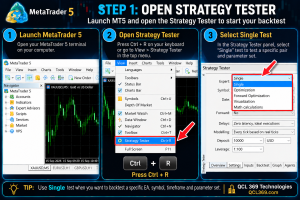
Step 1: Open Strategy Tester
-
Launch your MetaTrader 5 terminal.
-
Press
Ctrl + Ror navigate to View > Strategy Tester in the top menu. -
Select Single test to test a specific pair and parameter set.
Step 2: Configure the Core Settings
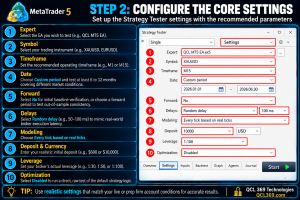
In the Settings tab configure the following fields strictly:
-
Expert: Select the EA you wish to test e.g
QCL MT5 EA. -
Symbol: Select your trading instrument e.g
XAUUSD,EURUSD. -
Timeframe: Set the recommended operating timeframe e.g
M1orM15. -
Date: Choose a custom period and test for 6–12 months across both volatile and low activity markets.
-
Forward: Select No for an initial baseline verification or choose a forward period to test out of sample consistency.
-
Delays: Select Random delay e.g 50–100 ms to mimic real world broker execution latency and slippage.
-
Modeling: Choose Every tick based on real ticks.
-
Deposit & Currency: Enter your realistic initial deposit e.g
$600or$10,000to mirror your intended live or prop firm balance. -
Leverage: Set your broker’s actual leverage e.g.,
1:30,1:50, or1:100. - Optimization: Select Disabled to run a direct raw test of the default strategy logic
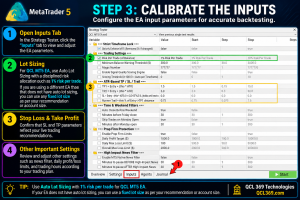
Step 3: Calibrate the Inputs
-
Click the Inputs tab.
-
Make sure Auto Lot Sizing uses a fixed risk level such as 1% per trade.
-
Make sure the stop loss and take profit match the live settings.
Step 4: Run the Test & Analyze the Report
Click Start at the bottom right. MT5 will download real broker tick data and run the EA step by step.
Once finished navigate to the Backtest tab and inspect the vital health metrics:
-
Max Equity Drawdown (%): For prop firm readiness this should comfortably remain well below 5% to 8%.
-
Profit Factor: Good trading models often have a profit factor between 1.4 and 2.2 over many trades.
-
Win Rate vs. Risk:Reward: Make sure the system does not need a 99% win rate to make a profit. Good trading systems use a balanced win rate and proper Stop Losses.
-
Recovery Factor: Measures how quickly the account exits drawdown periods without doubling lot sizes.
Test Before You Buy Free MQL5 Demos
We believe in full transparency. Some sellers hide EA settings or block Strategy Tester access because their systems use hidden martingale grids that can fail when tested with real tick data.
At QCL 369 Technologies our main products can be fully backtested before you buy. Download the free DEMO from our official MQL5 Market pages and test them with real tick data in your own MT5 terminal:
-
QCL MT5 EA (Quantitative Mathematics Engine):Automatic single order trading no martingale and fixed SL/TP protection.
-
QCL AI Scalper MT5 Indicator (SMC / ICT Analysis):100% non repainting buy and sell signals market structure changes liquidity sweeps and dynamic TP and SL levels.
-
QCL AI Scalper EA MT5 (Automated SMC Engine):Automated smart trading with built in risk protection.
-
Non-Repaint Buy Sell Signals Indicator MT5:Clear momentum and trend alerts with no repainting or lag.
Download any demo run it on Every tick based on real ticks and inspect the quantitative edge for yourself before investing capital.
Related Reading
Tags: 99 Quality Backtest Algorithmic Trading automated trading Backtest Every Tick EA Optimization EA Strategy Tester Every Tick Data Forex Backtesting Forex EA Optimization Forex Robot Testing Historical Data MT5 How to Backtest MT5 MetaTrader 5 Guide MetaTrader 5 Tips MT5 Backtesting MT5 EA Testing MT5 Strategy Tester Real Tick Data Spread and Slippage Tick Data Suite