👤 By Aqsa Ahsan
ICT & Smart Money, Risk Management
Why Your Stop Loss Gets Hunted Every Time (And How to Fix It)
Why Your Stop Loss Gets Hunted Every Time (And How to Fix It)
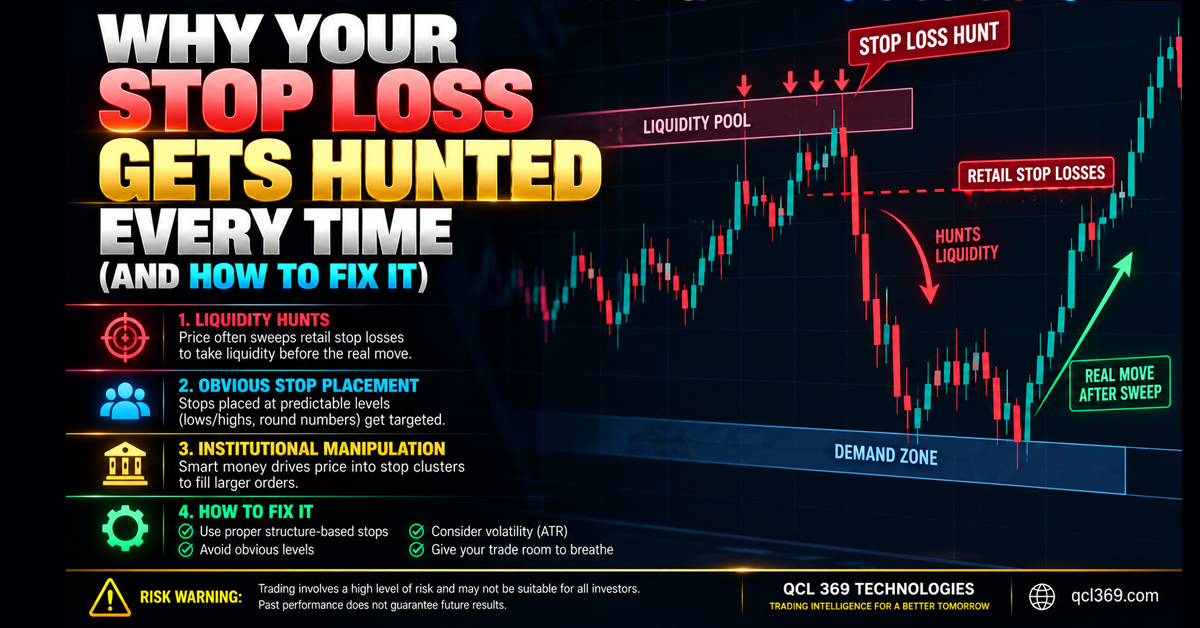
Almost every retail scalper knows this frustration you enter a trade on the 1 minute chart place your Stop Loss (SL) below a swing low and the market suddenly drops hits your SL then reverses and reaches your original target.
It feels personal but it’s not. Big players need liquidity to place large trades. They know retail traders put Stop Losses below equal lows or support levels so price often moves there to hit those stops before reversing in the intended direction.
To avoid Stop Loss hunts place your SL at key institutional levels instead of obvious support levels where most retail traders put their stops.
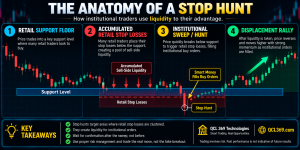
The Anatomy of a Stop Hunt
In SMC and ICT price moves through liquidity cycles rather than moving randomly.
1. Why Obvious Support Levels Fail
Retail traders often place Stop Losses below the latest wick or support level. When many traders do this their stops create a pool of Sell Side Liquidity (SSL) at the same price level.
2. The Institutional Trap
Big players can’t buy large amounts at once without pushing the price up. Instead they may push price below support to trigger Stop Losses creating sell orders. They use this selling to build large buy positions at lower prices then the market reverses leaving retail traders in loss.
3. How to Place Stops Like Institutions
-
Wait for the Liquidity Sweep First: Never enter at the first support level. Wait for price to sweep the lows with a wick before entering the trade.
-
Identify Structural Imbalances: Institutional reversals create Order Blocks (OB) and Fair Value Gaps (FVG) when price moves strongly in one direction.
-
Anchor Stops Beyond Institutional Zones: Place your Stop Loss beyond the swing point formed by the liquidity sweep to give your trade room to handle small price movements.
Institutional Execution with the QCL AI Scalper MT5 Indicator
Finding liquidity sweeps calculating changing stop loss distances and spotting Fair Value Gaps on a fast 1 minute chart is difficult when the market is busy.
The QCL AI Scalper MT5 Indicator automatically finds market patterns like SMC, Order Blocks, Fair Value Gaps (FVG) and Power of 3 (AMD) in MetaTrader 5. Instead of using very tight stop loss levels that the market can easily hit it finds fake price moves and sets the Stop Loss at a level that is less likely to be hit by big market players.
Live Execution Breakdown M1 Gold (XAUUSD) London Open Execution
The live Gold (XAUUSD) trade on the 1 minute (M1) chart during the London market opening shows how the QCL AI Scalper helps protect trades from sudden price moves that hit Stop Loss levels.
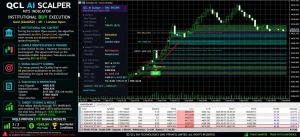
Caption: QCL AI Scalper gives a BUY signal on Gold (M1) during the London Open after spotting a liquidity sweep. It sets a safer Stop Loss and aims for TP1 and TP2 as the trade moves in the right direction.
==============================1. Institutional SMC Context (The Liquidity Sweep)
During the London market opening Gold’s price dropped below a nearby support level. Instead of treating this as a signal to sell the indicator recognized it as a move to trigger Stop Loss orders and showed Liquidity Swept (Low) on the dashboard. The indicator waited while the market hit traders Stop Loss levels helping avoid entering a trade too early.
2. Candle Identification & Quality Scoring
After the market hit traders Stop Loss levels gold formed a strong bullish candle at support followed by another large candle showing a sharp price rise. The indicator gave the setup a score of 68 points meeting its required level for trade confirmation.
3. Protected Stop Loss Placement
At 07:55 a green BUY arrow appeared on the chart at 4405.926. Instead of placing the Stop Loss near the recent support level the indicator set it at 4401.239 safely below the long wick caused by the sudden price move. This helps protect the trade from being stopped out by similar price movements.
Because the Stop Loss was placed below the level where the market had triggered traders stops the trade was better protected from later price drops back to that level.
4. Automated Risk Management & Execution
The dashboard displayed exact lot sizes: 1% = 0.02, 5% = 0.11, and 10% = 0.23. The trader entered 0.11 lots (matching the 5% risk mode) via ticket
#1790118478.The price moved up without hitting the Stop Loss passed TP1 (4409.441) and reached TP2 (4412.957). The trade made a profit of +$43.50 USD, bringing the session win rate to 100% (3 out of 3 trades).
Core Rules to Stop Getting Hunted
-
Never Place Stops at Obvious Levels: If a swing low is easy for you to spot it is also easy for big market players to spot and target traders Stop Loss levels.
-
Enter After the Sweep: The safest trades often happen after traders Stop Loss levels have been hit and the price confirms a change in market direction.
-
Automate Trade Planning: Use tools like the QCL AI Scalper MT5 Indicator to find Order Blocks, spot Fair Value Gaps and place Stop Loss levels beyond important price areas to help protect trades from sudden market moves.
Tags: AI Trading Indicator MT5 automated scalping mt5 best MT5 indicators Bitcoin Trading Strategy crypto stop loss hunt Fair Value Gap fakeout breakout trading Forex Scalping System ftmo stop loss strategy Gold Trading Strategy how to set stop loss institutional order flow liquidity hunt forex Liquidity Sweep market manipulation forex MT5 Scalping Indicator non repaint mt5 indicator order blocks and liquidity prop firm trading strategy QCL AI Scalper QCL AI Scalper MT5 Indicator retail trader traps Risk Management Forex Smart Money Concepts smc trading strategy stop loss hunt xauusd stop loss hunting stop loss placement strategy why stop loss gets hunted XAUUSD Scalping