QCL Trade Assistant MT5 | One-Click Forex Tool, Risk Calculator, Trailing Stop (Digital Download)
Detailed Specifications
QCL Trade Assistant for MetaTrader 5: one-click trade panel, automatic lot size calculator and on-chart Risk : Reward planner with trailing stop and breakeven. Instant digital download.
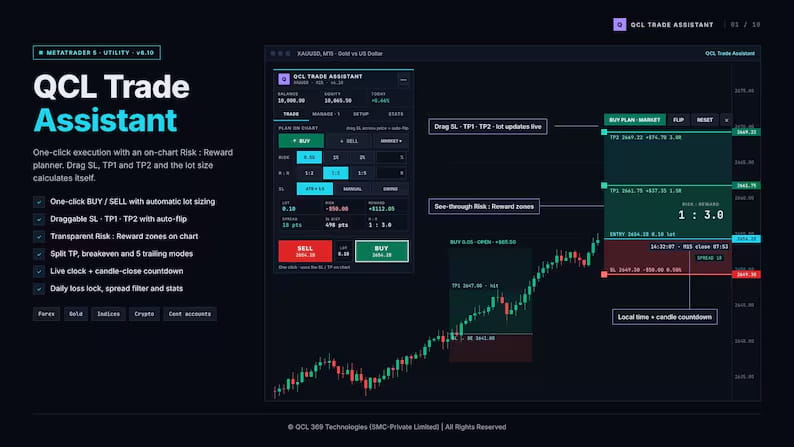
Plan every trade visually on your chart, let the assistant calculate the correct lot size from the risk you choose, and open the trade with one click. After entry, it manages the position for you with split take-profit, automatic breakeven and five trailing stop modes.
The assistant does not trade on its own. You make every decision; it removes the manual work.
━━━━━━━━━━━━━━━━━━━━
KEY FEATURES
━━━━━━━━━━━━━━━━━━━━
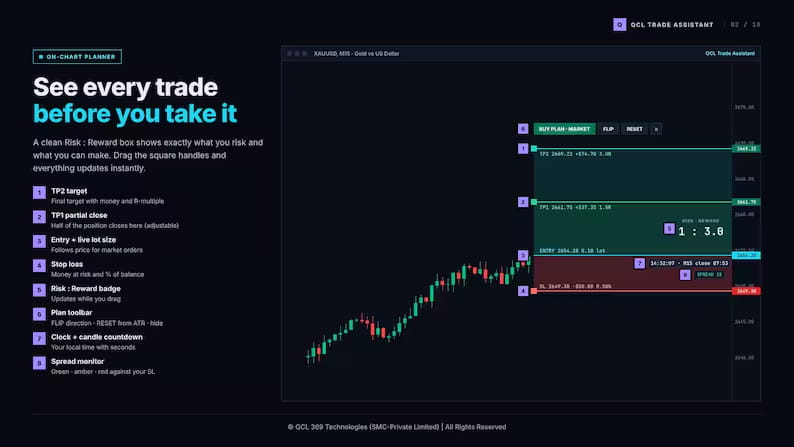
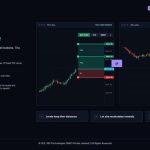
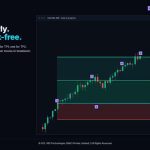
ON-CHART RISK : REWARD PLANNER
• Clear red / green Risk : Reward box drawn on your chart
• Drag SL, TP1 and TP2 with the mouse: lot, risk, reward and R:R update instantly
• Every line shows price, money amount and R-multiple
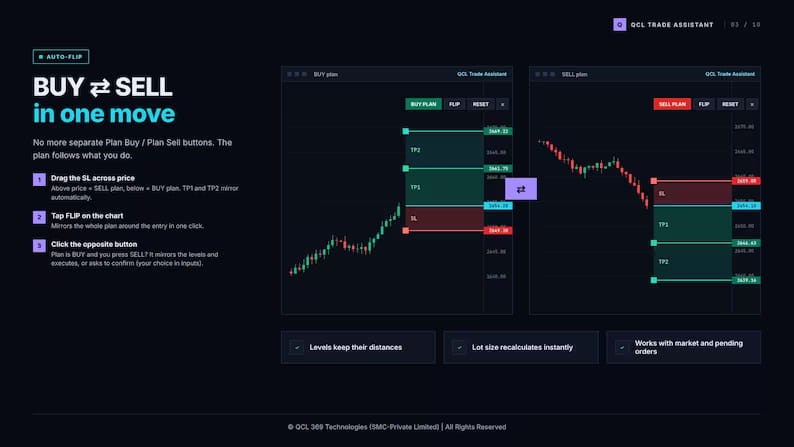
• Drag the SL across price to switch between BUY and SELL automatically
• Local time with seconds and candle-close countdown right next to the price
• Live spread monitor (green / amber / red)
ONE-CLICK EXECUTION
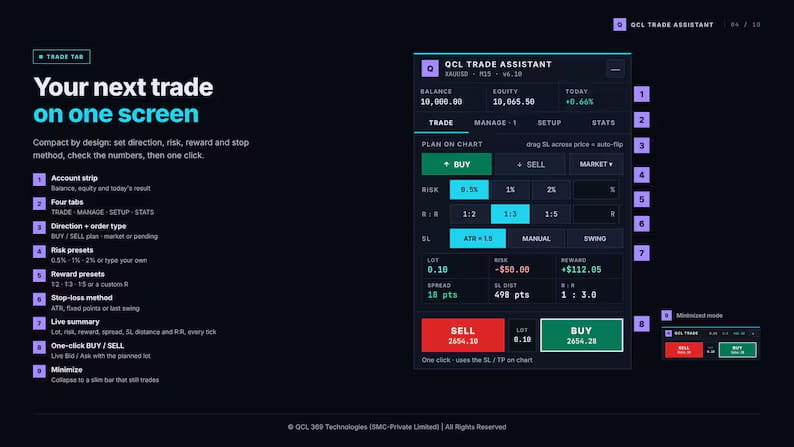
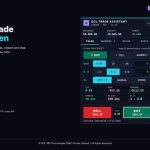
• Big BUY / SELL buttons with live Bid and Ask
• Market and pending orders (Limit / Stop chosen automatically)
• Optional B / S keyboard hotkeys
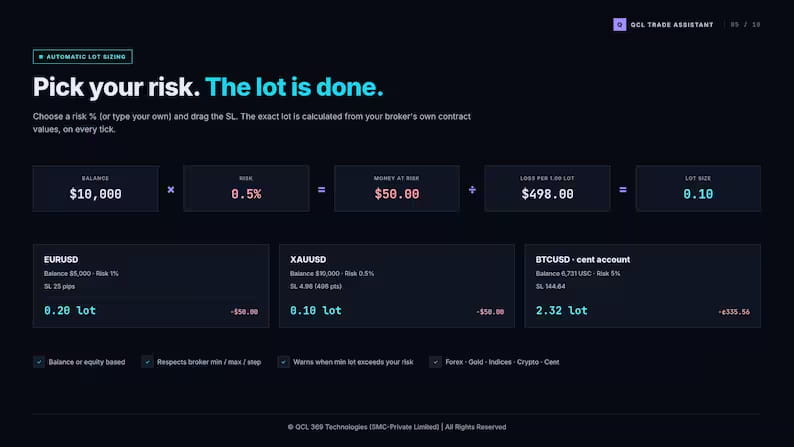
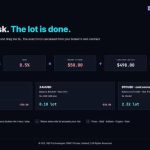
AUTOMATIC LOT SIZE CALCULATOR
• Risk presets 0.5% / 1% / 2% or any custom %
• Reward presets 1:2 / 1:3 / 1:5 or any custom ratio
• Stop loss by ATR, fixed points or last swing
• Uses your broker’s own contract values: Forex, Gold, Indices, Crypto and cent accounts
TRADE MANAGEMENT
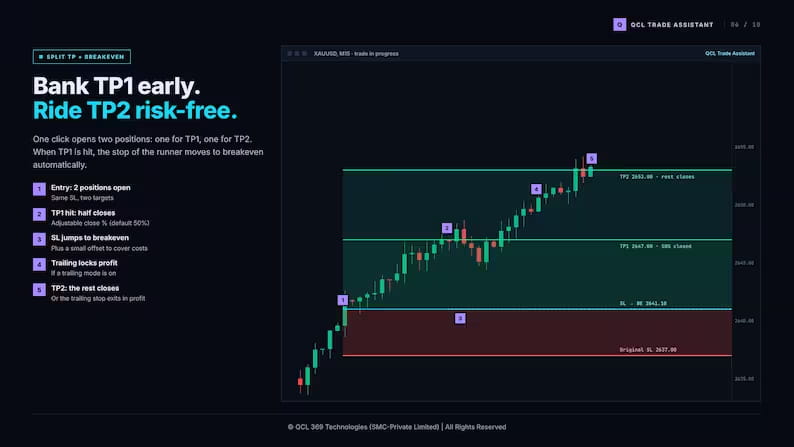
• Split take-profit: part closes at TP1, the rest runs to TP2
• Automatic breakeven after TP1
• 5 trailing stop modes: Off, Breakeven, Step, Lock %, ATR
• Quick actions: Close All, Close 50%, SL to Breakeven, Reverse, Close Profit, Delete Pending
• Also manages trades opened manually or from your phone
ACCOUNT PROTECTION (great for prop firm challenges)
• Daily loss limit that locks new trades for the day
• Max trades per day and max risk per trade
• Spread filter and daily profit target alert
STATISTICS
• Today’s result, win rate and discipline score
• Monthly performance calendar
Compact 4-tab panel (Trade, Manage, Setup, Stats), can be moved anywhere and minimized.
━━━━━━━━━━━━━━━━━━━━
WHAT YOU RECEIVE
━━━━━━━━━━━━━━━━━━━━
• QCL Trade Assistant for MetaTrader 5 (.ex5 file)
• User Manual (PDF): every feature, messages and troubleshooting
• Installation & Activation Guide (PDF)
━━━━━━━━━━━━━━━━━━━━
HOW ACTIVATION WORKS
━━━━━━━━━━━━━━━━━━━━
1. Download your files after purchase.
2. Send us your MT5 account number through Etsy messages (the assistant also shows it when you first attach it).
3. You receive your personal license key. Paste it into the “License key” input and start trading.
One license = one MT5 account number. Need a key for another account? Message us with one purchase 4 Live accounts & 2 Demo Account are allowed to avoid abuse.
━━━━━━━━━━━━━━━━━━━━
REQUIREMENTS
━━━━━━━━━━━━━━━━━━━━
• MetaTrader 5 desktop terminal (Windows, or Mac / VPS running MT5)
• Works with any MT5 broker, live or demo
• Not compatible with MetaTrader 4 or the MT5 mobile app (your phone trades can still be managed while the desktop terminal is running)
━━━━━━━━━━━━━━━━━━━━
PLEASE NOTE
━━━━━━━━━━━━━━━━━━━━
• This is a digital product. Nothing physical will be shipped.
• Strict non-refundable policy: due to the immediate delivery nature of digital files, all sales are final once files are downloaded.
• Trading Forex, metals, indices and crypto involves a high level of risk. QCL Trade Assistant is a tool for planning and managing your own trades; it does not predict the market or guarantee results. Please test on a demo account first.
Questions before buying? Send us a message on Etsy, we are happy to help.
© QCL 369 Technologies (SMC-Private Limited) | All Rights Reserved
Full Size Showcase